Install and setup
How to install and set up Filteronme on Windows
- Download the installer from filteronme.com/downloads.
- Run the .msi file.
- Open Filteronme from the desktop or Start menu.
- Sign in with your email.
- Select your camera at the top of Filteronme.
- In your video app's settings (Zoom, Meet, Discord, Skype, etc.), select the "Filteronme" camera.
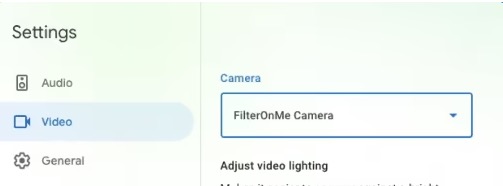
Keep Filteronme open — filters only work while it's running. Using OBS or Streamlabs? Open Filteronme first, before OBS.
System requirements
See minimum computer requirements to run Filteronme. Not sure your machine qualifies? The free trial is the fastest way to check.
Installer won't finish, or throwing an error?
Our Windows installer troubleshooting guide covers it — including the three Microsoft libraries the installer needs (most Windows computers already have them).
Related
Did this answer your question?