Billing and account
How to manage or cancel your subscription
In the app: click the Billing button. It takes you straight to your billing page.
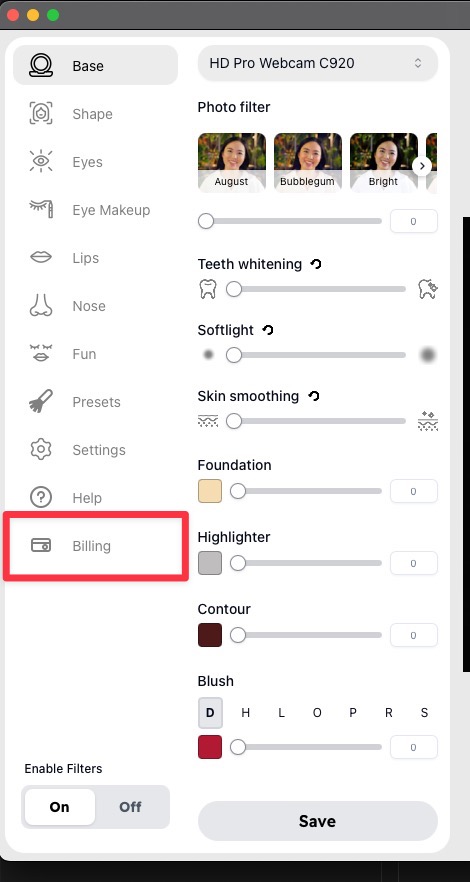
From there, tap Cancel subscription to cancel, or Update or manage subscription to change your plan.
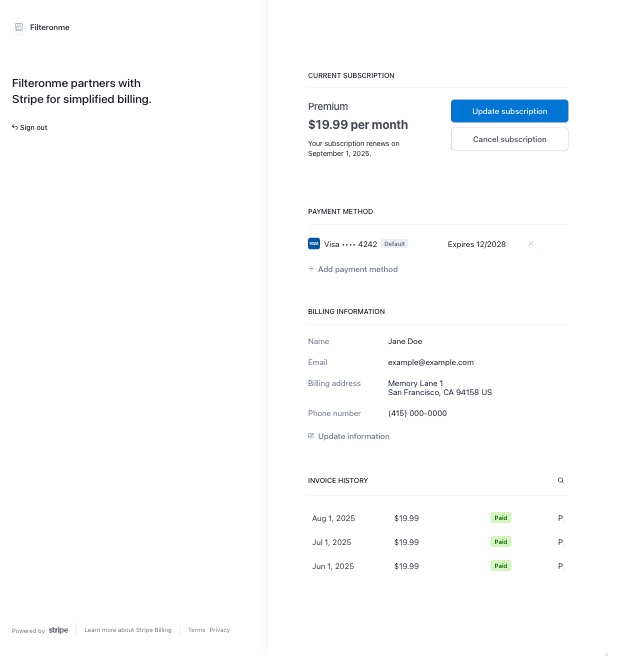
Not in the app, or using a browser? Go to filteronme.com/billing. Type your email and we email you a button that opens your billing page. The button works for 24 hours. Tap it, then tap Cancel subscription. We send it to the email on your plan, such as the one your receipt was sent to. That is often a different email than the one you are writing from, so try a few. Don't remember the email? Tap Don't know which email you used? under the button and enter the last 4 digits of the card you pay with.
When you cancel, your plan stays on until the end of the time you already paid for, and you won't be charged again. If a payment is past due, your plan stops right away and the unpaid charge is cancelled.
Still stuck? Contact support and we'll help.
On the free trial? There's nothing to cancel. Trials don't need a card and expire on their own.
Charge look unfamiliar? See What is this FILTERONME.COM charge? before assuming something's wrong.