Install and setup
How to do a full reinstall of Filteronme for Mac
A full reinstall fixes most Mac problems and is required for most upgrades.
- Open Filteronme.
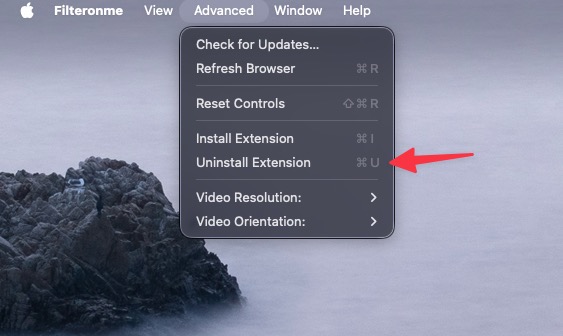
- Click Advanced in the top-left menu, then Uninstall Extension. (2.1 and later only — skip this step if you're on an older version.)
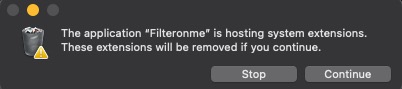
- Confirm the removal if you're asked to.
- Delete Filteronme from your Applications folder.
- Reboot your computer.
- Open Zoom, Discord, or FaceTime and confirm "Filteronme Camera" no longer shows up in the camera list. If it still does, the old extension didn't fully clear — reboot again before continuing.
- Download the latest version from filteronme.com/download-mac.
- Reinstall — follow the Mac install guide.
On an old Mac that can't run the current version, use the old Mac build instead of step 7.
Related
Did this answer your question?