Install and setup
Stuck setting up Filteronme on Mac
If the camera extension doesn't install properly, setup can get stuck. Try this:
- Open Terminal (search for it in Spotlight) and run:
tccutil reset Camera com.filtersoftware.filteronme.CameraExtension
You should see a message saying "Successfully reset...".
- Open Filteronme.
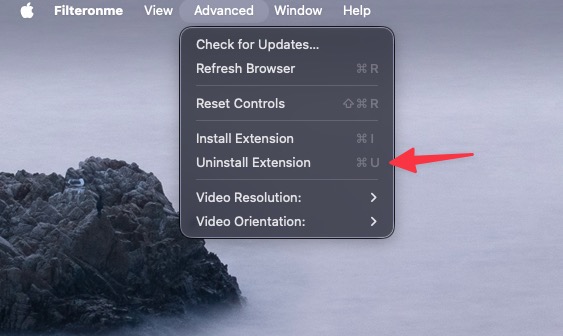
- Click Advanced in the top-left menu, then Uninstall Extension.
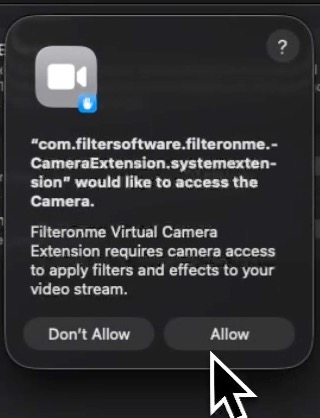
- Reboot your computer and go through setup again. Click Allow when the camera extension asks for permission.
- Still not working? Try switching the selected camera in the app, then switching back.
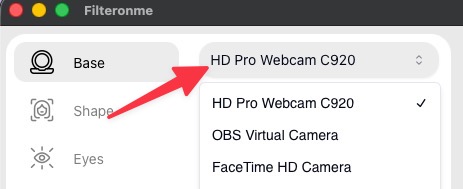
Changing cameras and changing back can "reset" a stuck extension.
Still stuck after all of that? Do a full reinstall.
Related
Did this answer your question?