Troubleshooting
How to fix most problems
Work through these in order — most tickets are solved by the first two or three steps.
-
Open Filteronme before you open the app you're using it in (Zoom, OBS, Discord, etc.) — the other app needs to find the Filteronme camera already running. Windows: keep Filteronme open for the whole call. Mac 2.1 and later: you can close Filteronme again once you've selected the camera.
-
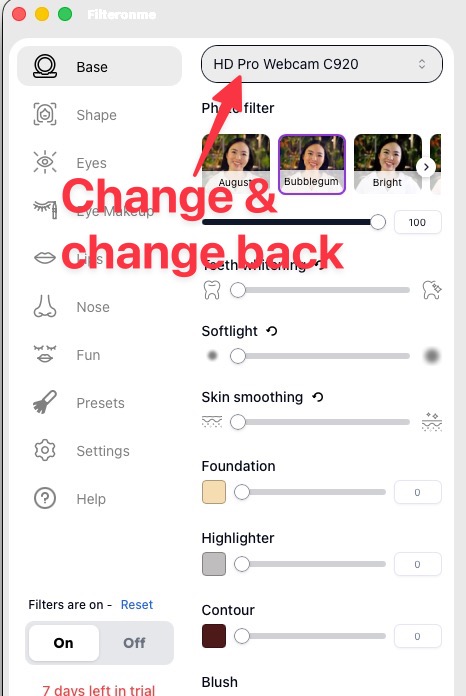
Switch your camera selection to something else and back, or unplug and replug your physical camera.
-
Reboot the Filteronme app — quit it fully and reopen it.
-
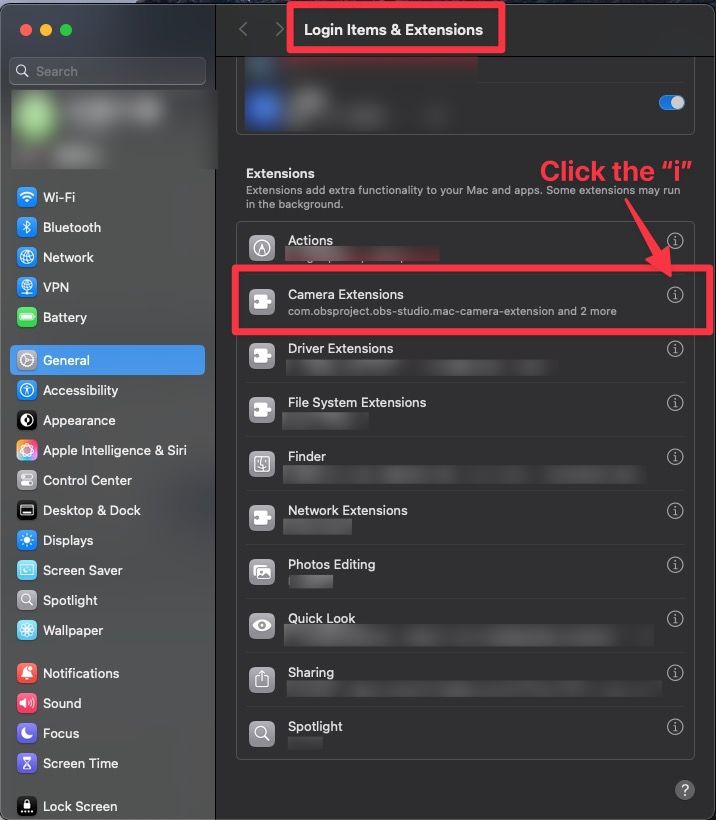
Mac only: toggle camera permission off and back on for Filteronme in System Settings. Still stuck? Do the same with the camera extension toggle.
-
Reinstall the camera extension. In Filteronme, go to the top-left menu → Advanced → Uninstall Extension, then reopen Filteronme and reinstall it.
-
Restart your computer.
-
None of that worked? Do a full reinstall. Mac steps: how to do a full reinstall of Filteronme for Mac. On Windows, download the latest installer from filteronme.com/downloads and reinstall.