Install and setup
Where is the camera extension in Mac settings?
Where to look depends on which Filteronme you're running — these are two different apps with different settings paths.
Current app (macOS 13+)
Open System Settings, search "Login Items & Extensions" in Spotlight if you can't find it in the sidebar, then open Camera Extensions.

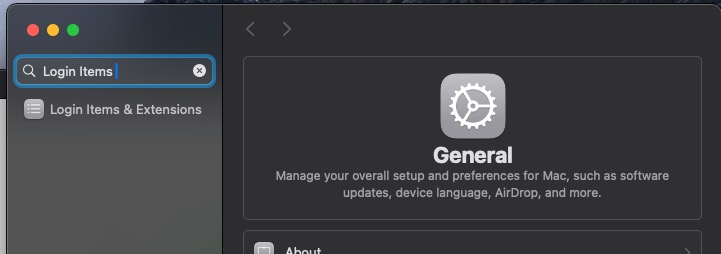
Toggle Filteronme on, then continue with the Mac install guide.
Old version (2.0.15, macOS 12.4–12.x)
This path only applies if you're on the old downloadable version — the current app doesn't run on macOS 12.
Look in the General tab of Security & Privacy (or Privacy & Security, scrolled down). If you've got several pending extension requests, click Enable System Extensions first, then enable the one requested by Filteronme.
Still can't find it? Search "where are camera extensions on macOS <your version>" — Apple moves this panel around between macOS releases.